
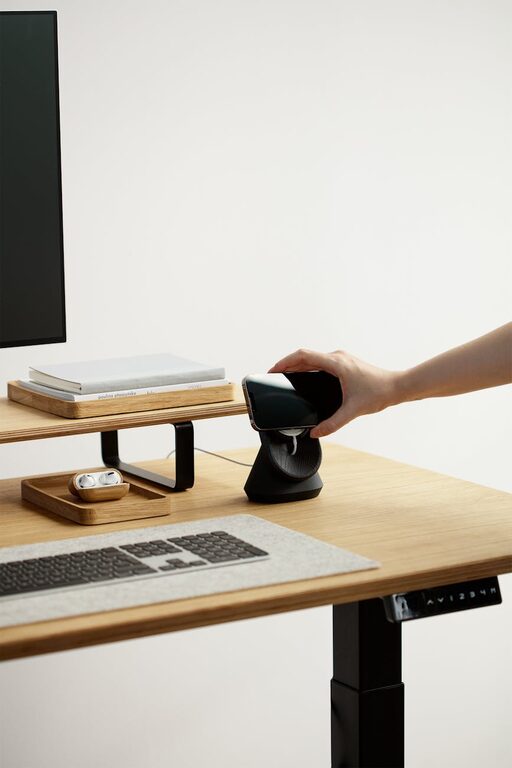
Creating a home office space that is both cozy and productive can transform your work-from-home experience. Whether you’re a remote worker, freelancer, or just need a quiet place to focus, having the right environment is key. Below are practical tips to help you design a home office that feels welcoming and supports your best work.
1. Choose the Right Location
Find a Quiet Spot
Selecting a location free from distractions is essential. Look for a room or corner with minimal noise and traffic. If you share your home, consider spaces where you can close a door to minimize interruptions.
Prioritize Natural Light
Natural light can improve mood and focus. Set up your desk near a window if possible. Avoid glare on your computer screen by positioning your desk perpendicular to the window.
2. Invest in Comfortable Furniture
Ergonomic Chair
Comfort matters when you spend hours sitting. An ergonomic chair supports your back and helps maintain good posture, reducing fatigue and discomfort.
Functional Desk
Choose a desk that fits your available space and work needs. It should be large enough for your computer, documents, and any tools you use regularly.
3. Organize Your Workspace
Declutter Regularly
A cluttered desk can distract and overwhelm. Keep only the essentials within reach and store other items neatly. Regularly clearing out unneeded papers or supplies keeps the space inviting.
Use Storage Solutions
Drawers, shelves, and organizers keep materials in order. Labeling boxes or files can also save time when searching for something.
4. Add Cozy Elements
Personal Touches
Include items that make you feel comfortable and inspired, like a favorite photo, a small plant, or artwork. These touches add warmth without creating distractions.
Soft Textiles
Consider a cushioned chair pad or a soft rug under your desk. These small additions add comfort and soften the space visually.
5. Optimize Lighting
Layered Lighting
Good lighting reduces eye strain and sets the mood. Combine overhead lighting with task lighting like desk lamps to create a balanced and adjustable setup.
Consider Warm Light
Warm light bulbs create a cozy atmosphere compared to harsh, cool lighting. This is especially useful for work that requires focus but also relaxation.
6. Minimize Noise Distractions
Use Noise-Canceling Headphones
If ambient noise is unavoidable, noise-canceling headphones can help you concentrate better.
Soundproof Your Space
Adding rugs, curtains, or acoustic panels can help absorb sound and reduce echoes, making the room quieter.
7. Establish Boundaries
Set Work Hours
Define a schedule to separate work time from personal time. This helps maintain a healthy balance and prevents burnout.
Use Visual Cues
Having a dedicated workspace signals to yourself and others that you are ‘at work’ even if you’re physically at home.
8. Keep Technology Efficient
Reliable Internet
Ensure your internet connection is stable for video calls and uploading files without interruption.
Manage Cables
Use cable organizers or clips to keep cords tidy and prevent tangling, which can interfere with your workspace’s appearance and functionality.
9. Incorporate Plants
Plants improve air quality and add a calming, natural element to your office. Low-maintenance plants like succulents or snake plants are great for busy schedules.
10. Refresh Your Space Regularly
Changing your layout or swapping out decor can keep your workspace feeling fresh and inspiring. Small adjustments boost creativity and prevent monotony.
—
By combining these thoughtful elements, you can create a home office that feels like a comfortable retreat and a productive zone. Remember, your workspace should fit your unique needs and style, so feel free to experiment until you find what works best for you. Happy working!