
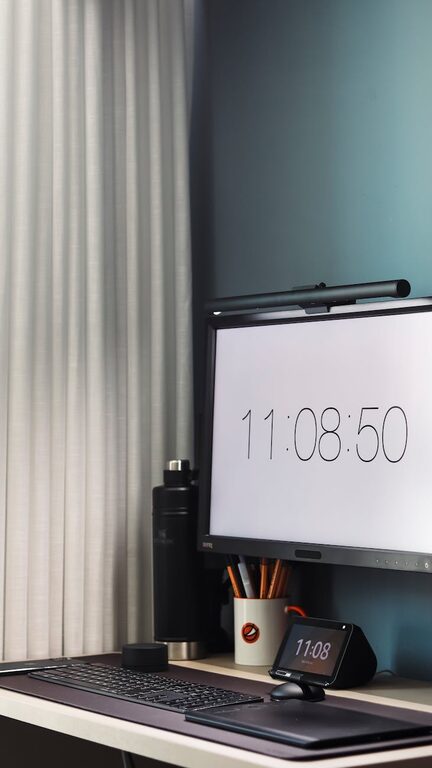
Creating a home office that supports your productivity doesn’t have to be complicated. A well-organized workspace can help you focus, reduce stress, and make your workday flow more smoothly. Whether you’re working remotely full-time or occasionally need a dedicated work area, these simple tips can transform your home office into a productive haven.
Why Organizing Your Home Office Matters
An organized home office isn’t just about aesthetics; it has practical benefits that affect how efficiently you work. Clutter can be distracting and overwhelming, making it harder to find what you need and slowing down your workflow. Conversely, a tidy, well-planned space helps you stay focused and boosts creativity.
Start With a Clean Slate
Before adding any new organizational tools or decor, clear everything off your desk and shelves. This fresh start lets you see what you have and decide what to keep, store, or toss. Cleaning your workspace also refreshes your mindset and sets a positive tone.
Declutter to Minimize Distractions
Sort and Prioritize
Go through papers, office supplies, and gadgets. Ask yourself:
– Do I use this regularly?
– Is this essential to my work?
– Can this be digitized or stored elsewhere?
Keep only what’s necessary on your desk. Use file folders or digital apps to manage documents and reduce paper clutter.
Use Storage Wisely
Invest in storage solutions like drawers, shelves, or bins to keep supplies neat. Label containers for easy identification. For example:
– Files and paperwork in file organizers
– Stationery in small boxes or desk organizers
– Cables and chargers in cable management holders
Design Your Workspace for Efficiency
Position Your Desk Strategically
Place your desk where you get enough natural light, which can improve mood and reduce eye strain. Avoid positioning it directly facing a window to prevent glare on your screen.
Keep Frequently Used Items Within Reach
Arrange your desk so that the things you use most often are easily accessible. This avoids interrupting your workflow by searching for supplies.
Limit Personal Items
While it’s nice to have some personal touches, too many can distract. Choose a couple of inspiring or calming decorations rather than crowding your space.
Optimize Digital Organization
Manage Your Computer Desktop
Keep your digital desktop tidy by creating folders and regularly deleting unnecessary files. Organize emails with folders and filters to stay on top of your inbox.
Use Productivity Apps
Calendar apps, task managers, and note-taking tools can help you plan and prioritize tasks efficiently. Experiment with apps until you find what works best for you.
Establish Good Habits
Consistency is key to maintaining an organized office. Here are a few habits to practice:
– End-of-day tidying: Spend a few minutes each day putting things back in place.
– Weekly review: Once a week, reassess your space and clutter to stay on track.
– Limit multitasking stations: Avoid keeping multiple project setups that can cause distractions.
Create Zones for Different Tasks
If space allows, designate specific areas for different activities, such as:
– A writing or computer zone
– A reference or research area with books and materials
– A creative space for brainstorming or sketching
This separation helps keep your work organized and prevents mixing tasks.
Ergonomics and Comfort
An organized office also means comfortable. Make sure your chair supports good posture and your monitor is at eye level to avoid strain. Keep your workspace well-ventilated and at a comfortable temperature.
Final Thoughts
Organizing your home office doesn’t have to be overwhelming. By following these simple tips, you can create a workspace that feels inviting and helps you stay productive. Remember, it’s about finding systems that suit your work style and maintaining them with regular habits. Soon enough, you’ll notice how a tidy, organized space makes your workdays more enjoyable and efficient.