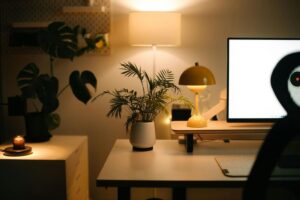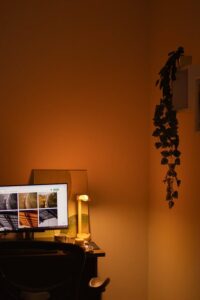
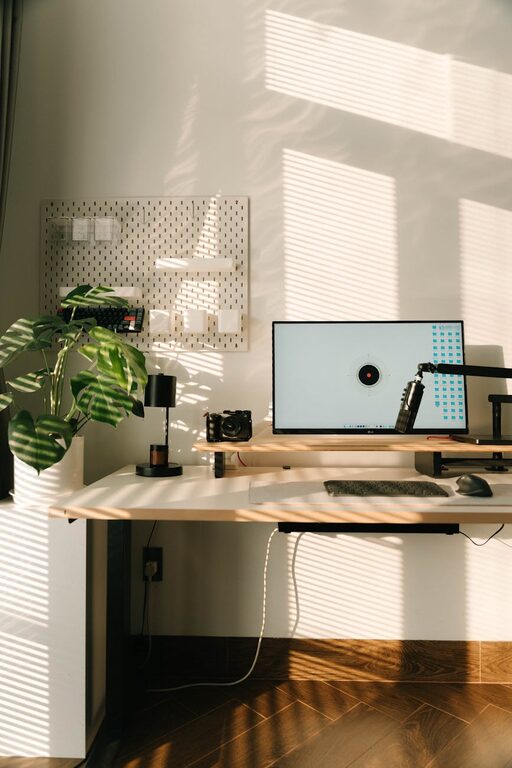
Creating a relaxing home workspace is essential for anyone working remotely or spending significant time on tasks at home. A well-designed environment not only boosts productivity but also supports mental and physical well-being. If your current setup feels stressful or uninspiring, don’t worry—small changes can make a big difference.
In this post, we’ll explore practical tips for transforming your home office into a calm, inviting space that helps you focus and feel better throughout the day.
Why a Relaxing Workspace Matters
Your surroundings impact how you think, feel, and perform. A cluttered, noisy, or uncomfortable space can increase stress and reduce concentration. Conversely, a thoughtfully arranged, soothing environment minimizes distractions and promotes positive habits.
By creating a relaxing workspace, you:
– Improve focus and efficiency
– Reduce stress and anxiety
– Encourage healthy posture and habits
– Enhance creativity and motivation
Choosing the Right Location
Start by selecting a quiet corner or room with good natural light. Consider these factors when picking your workspace spot:
– Natural light: Sunlight improves mood and alertness. Position your desk near a window if possible.
– Minimal distractions: Choose a space away from high-traffic areas, noisy appliances, or TV.
– Privacy: A room or nook you can close off helps signal “work time” to yourself and family.
– Comfortable temperature and ventilation: Well-ventilated rooms with adjustable temperatures reduce discomfort.
Declutter and Organize
A cluttered desk can quickly become overwhelming. Keep only what you need daily on your workspace and store other items neatly. Follow these steps:
– Clear the surface: Remove unnecessary papers, gadgets, or decorative items.
– Use storage solutions: Shelves, drawers, and organizers keep essentials within reach but out of sight.
– Limit digital distractions: Use browser extensions or apps to block distracting sites during work hours.
– Daily cleanup: Spend a few minutes at the end of each day tidying up to maintain order.
Choose Comfortable and Ergonomic Furniture
Your chair and desk setup greatly affect your comfort and productivity. Invest in ergonomics to avoid strain and fatigue.
– Ergonomic chair: Support your lower back, allow feet flat on the floor, and adjustable height.
– Desk height: Should align with your elbows at a 90-degree angle when typing.
– Monitor placement: Position the top of your screen at eye level about 20-30 inches away.
– Use footrests or cushions: If needed, to maintain proper posture.
Incorporate Calming Colors and Decor
Colors influence mood and energy. Soothing hues create a relaxing atmosphere that supports focus.
– Soft blues and greens: Favor relaxation and reduce eye strain.
– Warm neutrals: Create a cozy and inviting feel.
– Personal touches: Add plants, artwork, or photos that lift your spirits without cluttering.
– Minimalism: Avoid overly busy patterns or too many decorative items.
Manage Lighting Thoughtfully
Lighting impacts alertness and reduces eye strain.
– Natural light: Maximize daylight but use blinds or curtains to reduce glare.
– Task lighting: Use adjustable desk lamps that provide bright, focused light for reading and computer work.
– Ambient lighting: Soft overhead lights with warm tones avoid harsh contrasts.
Promote Healthy Habits and Breaks
A relaxing workspace supports well-being when paired with good habits.
– Set a schedule: Define work hours to separate work and personal life.
– Take regular breaks: Short, frequent breaks improve focus—try the Pomodoro technique (25 minutes work, 5 minutes break).
– Stretch and move: Stand up, stretch your neck and shoulders, or walk briefly.
– Stay hydrated: Keep a water bottle at your desk.
Control Noise Levels
Noise can cause stress or disrupt concentration. Ways to maintain a peaceful sound environment include:
– Noise-cancelling headphones: Useful if your home is noisy.
– White noise machines or apps: They mask background noises.
– Soft music: Calm instrumental or nature sounds can enhance relaxation.
– Quiet hours: Coordinate with family or housemates during your work periods.
Minimize Digital Overload
Technology is a tool—keeping it under control reduces stress.
– Organize files: Use folders and clear naming conventions.
– Limit notifications: Turn off non-essential alerts on your phone and computer.
– Use blue light filters: Reduce eye strain in the evening.
– Unplug after work: Avoid checking emails or messages outside work hours.
Final Thoughts
Designing a relaxing home workspace is about creating a balance between function and comfort. By choosing the right location, reducing clutter, focusing on ergonomics, and incorporating elements that calm your mind, you set the stage for greater productivity and well-being.
Remember, your workspace should reflect your personal needs and preferences. Experiment with these tips, adjust as necessary, and enjoy the benefits of a pleasant environment that supports your best work every day.